|
|
+One Week Rendering intensive using Maya
for product designers (This course is apart of our three week comprehensive)
Course Duration: 40 hours or 16 hours
Tuition: 40 hours = $2200.00 USD 16 hrs
= 1200 USD
Overview: advanced Introduction to 3D
rendering utilizing MAYA. Learn basics shading with a product designers
perspective.
Prerequisite: Degree in industrial design
or interest in product design.
Topics:
- Shading
Like most 3D programs, Maya includes a number of parameterized shading
models to define an object's visual properties, including Lambert, Blinn,
Phong, and anisotropic shaders. Depending on which shading model is
used, the parameters affect attributes such as the surface's color,
reflective properties, and transparency, with the goal of simulating
the appearance of real-life materials such as metal, stone, wood, and
skin. Shaders can also incorporate bump maps, which create the illusion
of surface textures..
- Toon Shading
Toon shading creates the look of 2D cel or cartoon animation using 3D
modeling and animation software. Elements of the "toon" look
include profile lines (outlines), border lines, crease lines, intersection
lines, and solid color shading. Combined, these elements recreate the
look of traditional animation's "ink and paint" technique,
where ink refers to lines and paint refers to shading.
- Lighting
In the real world, when light shines on a surface, the parts of the
surface facing toward the light source appear illuminated, and the parts
of the surface facing away from the light source appear dark. If one
object is located between a second object and the light source, the
first object casts a shadow onto the second object.
- PaintEffects
A component of Maya used to paint brush strokes and particle effects
on a 2D canvas or on or between 3D geometry. Paint Effects can be used
as a traditional paint program to paint images on a canvas, to paint
repeatable textures applied to 3D geometry in scenes, or to paint in
3D space
’’Paint Effects’’integrates 2D painting tools
into a 3D rendering environment. Libraries include numerous trees, grasses,
and plants which can be painted to 'grow' off the surface of an object.
- Mental ray
The primary feature of mental ray is the achievement of high performance
through parallelism on both multiprocessor machines and across render
farms. The software uses acceleration techniques such as scanline for
primary visible surface determination and binary space partitioning
for secondary rays. It also supports caustics and physically correct
simulation of global illumination employing photon maps. Any combination
of diffuse, glossy (soft or scattered), and specular reflection and
transmission can be simulated.
- RenderMan for Maya
In 2005, Pixar released its highly anticipated RenderMan for Maya renderer
which incorporates the full RenderMan Pro Server features into a native
Maya plugin. The workflow involves the use of Maya materials converted
into RenderMan .
- Learn lighting and understand how a scene should be lit using Key,
Fill and Back lighting.
- Learn how to create shadows and reflections to create the right kind
of atmosphere for the scene.
- Learn object shading and texturing.
- Learn how to use the Hypershade and how to create shading networks.
- Learn how to prepare a scene before rendering: learn how to adjust
the anti aliasing, resolution, format and shadows.
- Learn parenting by using the Hypergraph.
Discussions:
- Compare polygon and boundary modeling.
- Discuss light reflections, transparencies, and differentiation of
shadow qualities.
- Discuss how light works in reality and how Maya can be used to emulate
realitiy without over doing it.
- Understand the Common Material Attributes: Color, Incandescence, Bump
Mapping, Diffuse, incandescence, transparency, Translucence (depth and
focus).
- Understand Bump Mapping and what it can achieve in a specific scene.
- Utilizea variety of the rendering techniques Maya has to offer.
- Discuss work flow optimization with respect to render times and discuss
trouble shooting common rendering problems.
- Understand how to add motion blur to scenes with objects that are
in motion.
- Learn how to utilize camera and learn how to use (manage) it in rendering
out your scene.
- In all learn how to take a manageable project from concept to render.
- Discuss where to stop in MAYA and to start in Solid modeler for tooling.
- Discuss using examples important post production efforts with renderings
in Photoshop as a post production effort.
- Discuss Surface evaluation tools in Maya
- Understand tessellation and how it relates to rendering
- Discuss caustics and mental ray.
Tutorials:
- soft goods product
- polypropylene bottle
- glass bottle with and without fluid
- speaker
- children's riding toy
- toy vehicle
- polypro chair
- re-render Items from your portfolio

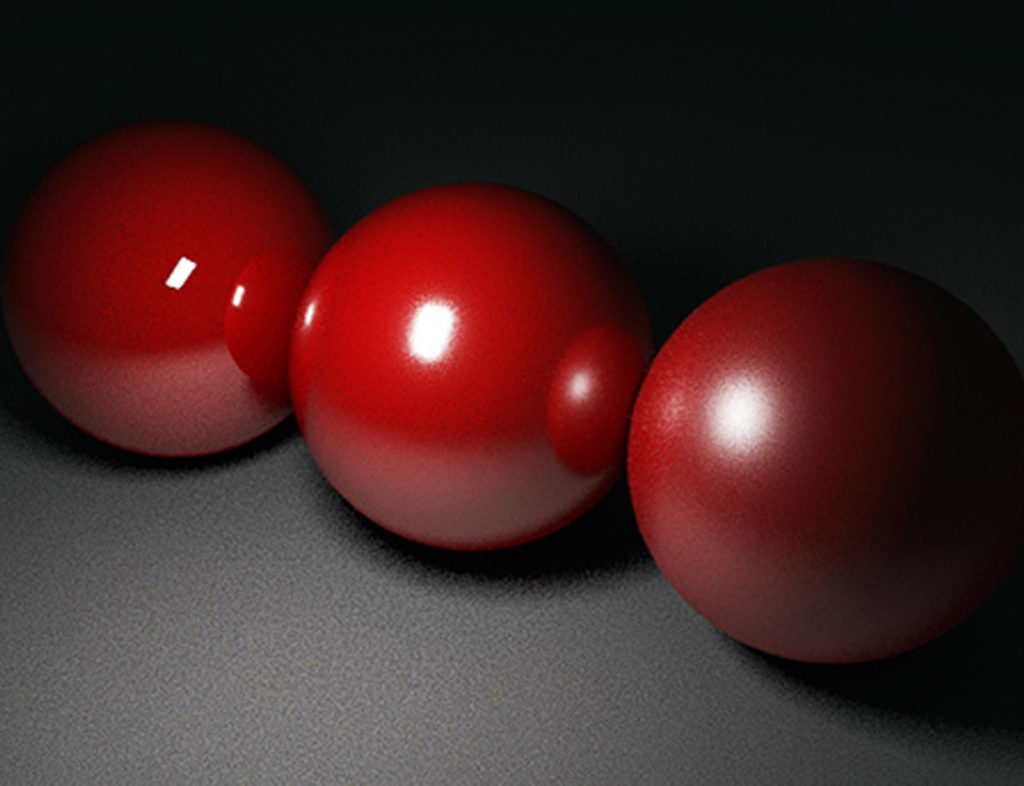
image created using MAYA

image created using MAYA in our one week rendering workshop

image created using MAYA

mental ray render

mental ray render

mental ray render
|
Sitemap >>

|
 |